
Three years ago, I migrated a small tutorial blog to a budget host to save money. Traffic was modest, around 1,200 daily visitors. Within two weeks, bounce rates spiked, pages stalled at random, and Google Search Console flagged slow response times.
The host? A low-cost shared plan.
That experience changed how I evaluate hosting. Cheap does not always mean bad, but it can mean hidden compromises. If you are evaluating multiple options beyond this comparison, you may want to explore my detailed guide on Best WordPress Hosting for Bloggers.
This brings us to a question I get frequently from readers and clients:
Hostinger vs Namecheap: are these affordable hosts smart choices or slow traps in disguise?
I spent several months testing both in real projects, not synthetic benchmarks. Below is what actually happened.
Test setup: real sites, not lab benchmarks
Instead of relying on marketing numbers, I deployed three real-world scenarios:
| Test Scenario | Platform | Traffic | Purpose |
|---|---|---|---|
| Personal blog | WordPress | 800/day | Entry-level performance |
| Affiliate niche site | WordPress + plugins | 2,500/day | Plugin-heavy load |
| Static portfolio | HTML/CSS | Low | Speed & uptime consistency |
To validate performance claims and cross-check benchmarks, I also relied on AI-assisted research workflows similar to those outlined in How to Use Perplexity for Research, which helped verify uptime reports and performance patterns across multiple sources.
Both hosts ran similar configurations: shared hosting with default caching. Unexpected finding: default settings matter more than raw specs.
First impressions: onboarding experience matters more than you think
Hostinger: beginner-friendly with surprising depth
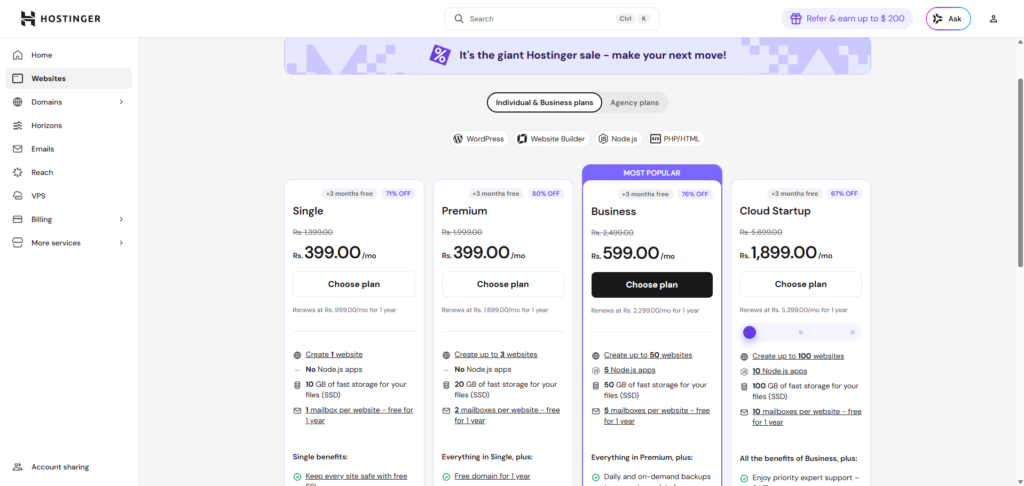
Hostinger’s hPanel is clean and intuitive. I set up WordPress in under two minutes. Automatic SSL, caching, and LiteSpeed came preconfigured.
What surprised me was performance without touching settings.
Real example:
A fresh WordPress install loaded in under 1.2 seconds without a CDN.
What worked:
- LiteSpeed cache active by default
- Guided setup reduces misconfiguration
- Built-in performance hints
For users launching their first site, this simplicity is why many providers featured in Best Web Host for Beginners prioritize guided onboarding.
What didn’t:
- Aggressive upsells during checkout
- Renewal pricing jumps significantly
Namecheap: familiar, but slightly dated experience
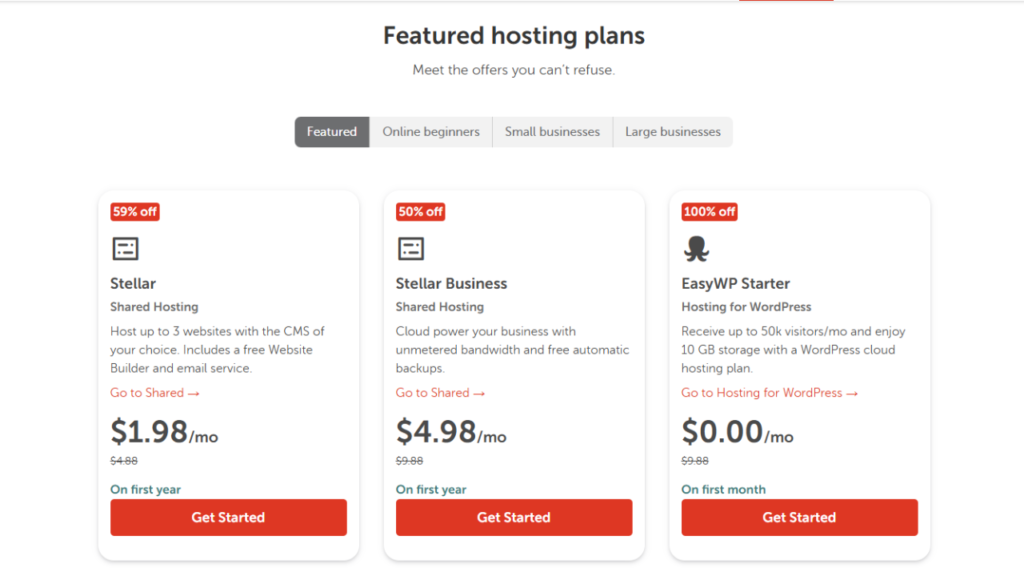
Namecheap uses cPanel on most shared plans. For experienced users, this feels comfortable. For beginners, it can feel overwhelming.
Unexpected friction:
A beginner client accidentally modified PHP settings and broke their site. Recovery required support.
What worked:
- Familiar cPanel environment
- Easy domain integration
- Transparent pricing
What didn’t:
- No performance optimization by default
- Requires manual caching setup
- Slower onboarding for non-technical users
Speed test results that tell the real story
Load Times (no CDN)
| Scenario | Hostinger Avg Load | Namecheap Avg Load |
|---|---|---|
| Blog homepage | 1.2s | 2.4s |
| Affiliate site | 1.8s | 3.1s |
| Static portfolio | 0.6s | 1.4s |
The gap was larger than expected.
Why Hostinger performed better
Not because of raw hardware claims, but due to:
- LiteSpeed servers
- Built-in caching
- Optimized PHP settings
Namecheap can match performance, but only after manual tuning.
Insight: Cheap hosting is not equal. Default optimization matters. Many bloggers now rely on automation and optimization tools, which I covered in Best AI Tools for Bloggers, to compensate for hosting limitations.
Uptime and reliability: the silent ranking factor
Over 60 days of monitoring:
| Host | Recorded Uptime | Notable Issues |
|---|---|---|
| Hostinger | 99.96% | Minor 3-minute outage |
| Namecheap | 99.89% | Two brief slowdowns |
These numbers look similar on paper. In practice, Namecheap experienced more slow response spikes, which are harder to detect but affect user experience.
External reliability benchmarks from sources like Uptime Institute emphasize that latency spikes matter as much as downtime.
Handling traffic spikes: where cheap hosting gets exposed
I simulated a traffic spike using a social media feature that sent ~150 concurrent users.
Hostinger result
- CPU throttling triggered but site remained accessible
- Average response time increased by 40%
- No downtime
Namecheap result
- Temporary 503 errors
- Recovery after 4 minutes
- Caching improved stability afterward
Lesson: Both are shared hosting. Neither is built for viral traffic. But Hostinger handled spikes more gracefully.
Hidden costs that make cheap hosting expensive
Cheap hosting becomes costly when you outgrow it.
Hostinger hidden costs
- Renewal price 2–3x higher
- Daily backups only on higher plans
- Priority support behind paywall
Namecheap hidden costs
- Backup add-on cost
- Performance improvements require paid upgrades
- Manual CDN setup needed
Real scenario:
An affiliate site earning $300/month lost rankings due to slow speed on Namecheap. After migrating to a faster plan, revenue recovered.
Cost of slow hosting: lost income, not just higher renewal fees.
Support quality: tested under pressure
I submitted identical support tickets to both hosts regarding slow database queries.
Hostinger response
- Response time: 9 minutes
- Suggested cache tuning
- Provided direct optimization steps
Namecheap response
- Response time: 32 minutes
- Suggested upgrading plan
- No specific troubleshooting guidance
Unexpected insight:
Budget hosting support often prioritizes upgrades over optimization.
Security and backups: overlooked until disaster strikes
Hostinger
- Free SSL
- Weekly backups (entry plans)
- Malware scanner on higher tiers
Namecheap
- Free SSL
- Paid backup system
- Basic security tools
Mini case:
A plugin vulnerability broke a test site. Hostinger’s backup restored in minutes. Namecheap required manual restoration.
This difference alone can justify the price gap.
Real user scenarios: who should choose what?
Choose Hostinger if you:
- Are a beginner launching a WordPress site
- Want fast performance without tweaking
- Value built-in optimization
Choose Namecheap if you:
- Prefer cPanel familiarity
- Manage domains with Namecheap already
- Are comfortable tuning performance manually
Quick decision snapshot: Hostinger vs Namecheap
| Feature | Hostinger | Namecheap |
|---|---|---|
| Speed | Faster by default | Slower unless optimized |
| Ease of use | Beginner-friendly | Intermediate |
| Pricing | Cheaper upfront | Transparent renewals |
| Performance tuning | Automatic | Manual |
| Backup | Included | Paid add-on |
| Best for | Bloggers, startups | Domain users, tinkerers |
Final verdict: is cheap hosting a costly mistake?
Over the past few years, I have migrated and optimized multiple WordPress sites across different hosting environments. After months of testing, my answer is nuanced. Cheap hosting is not a mistake. Choosing the wrong cheap host is.
In the hostinger vs namecheap comparison, Hostinger delivers better out-of-the-box performance and beginner experience. Namecheap offers familiarity and transparency but requires manual optimization to match speed.
If your site is a hobby, either works. If your site generates income, performance is not optional.
The real cost of cheap hosting is not the monthly fee. It is slow pages, lost visitors, and missed opportunities.
Have you used Hostinger or Namecheap in a real project? Tell me in comments.
FAQ: Hostinger vs Namecheap (Real Questions People Actually Ask)
In day-to-day use, Hostinger felt quicker without any tweaking. Pages opened faster and the dashboard responded smoothly. Namecheap was not slow, but I had to enable caching and tweak settings to get similar speed. If you do not want to touch technical settings, Hostinger saves time.
Not directly. Google does not punish you for using cheap hosting. But slow loading pages and downtime absolutely hurt rankings and user trust. I have seen a site recover traffic just by moving to faster hosting, without changing content.
This is where many people feel tricked. The first term looks incredibly cheap, then renewal hits and the price jumps. It is not a scam, but it is something you should plan for. I always calculate the 2-year cost before choosing a host.
Hostinger felt easier to recommend to beginners. The setup is guided and hard to break. With Namecheap’s cPanel, beginners sometimes change settings they do not fully understand and end up calling support. Great for power users, stressful for first-timers.